

Use it in Starbridge
Ask questions in the Starbridge app from the left sidebar, on your feed, or from a buyer page.
Use it in Slack
Chat with Starbridge from your own Slack workspace (admins need to install it once).
- In Starbridge
- In Slack
- In Chrome Extension
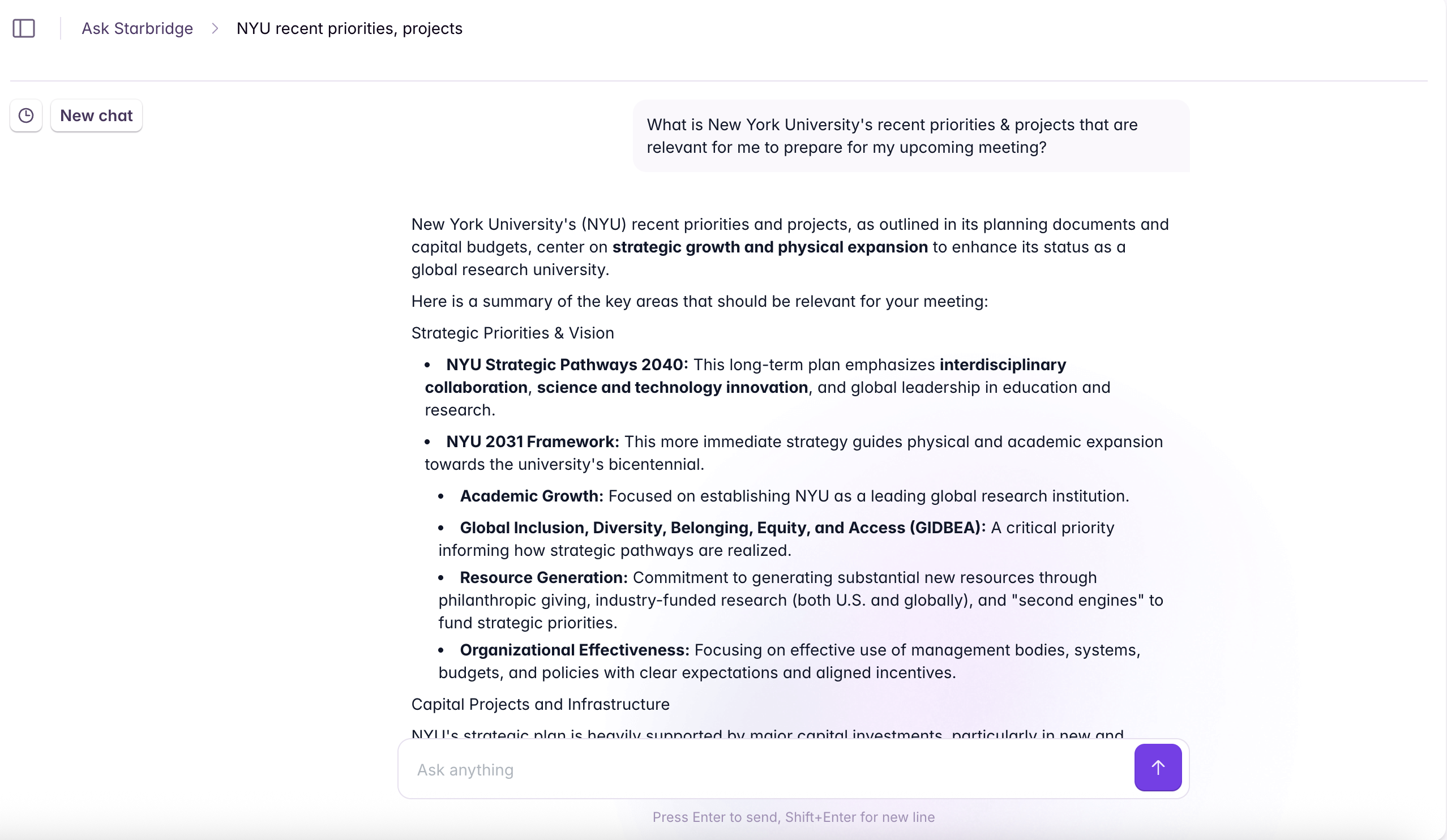
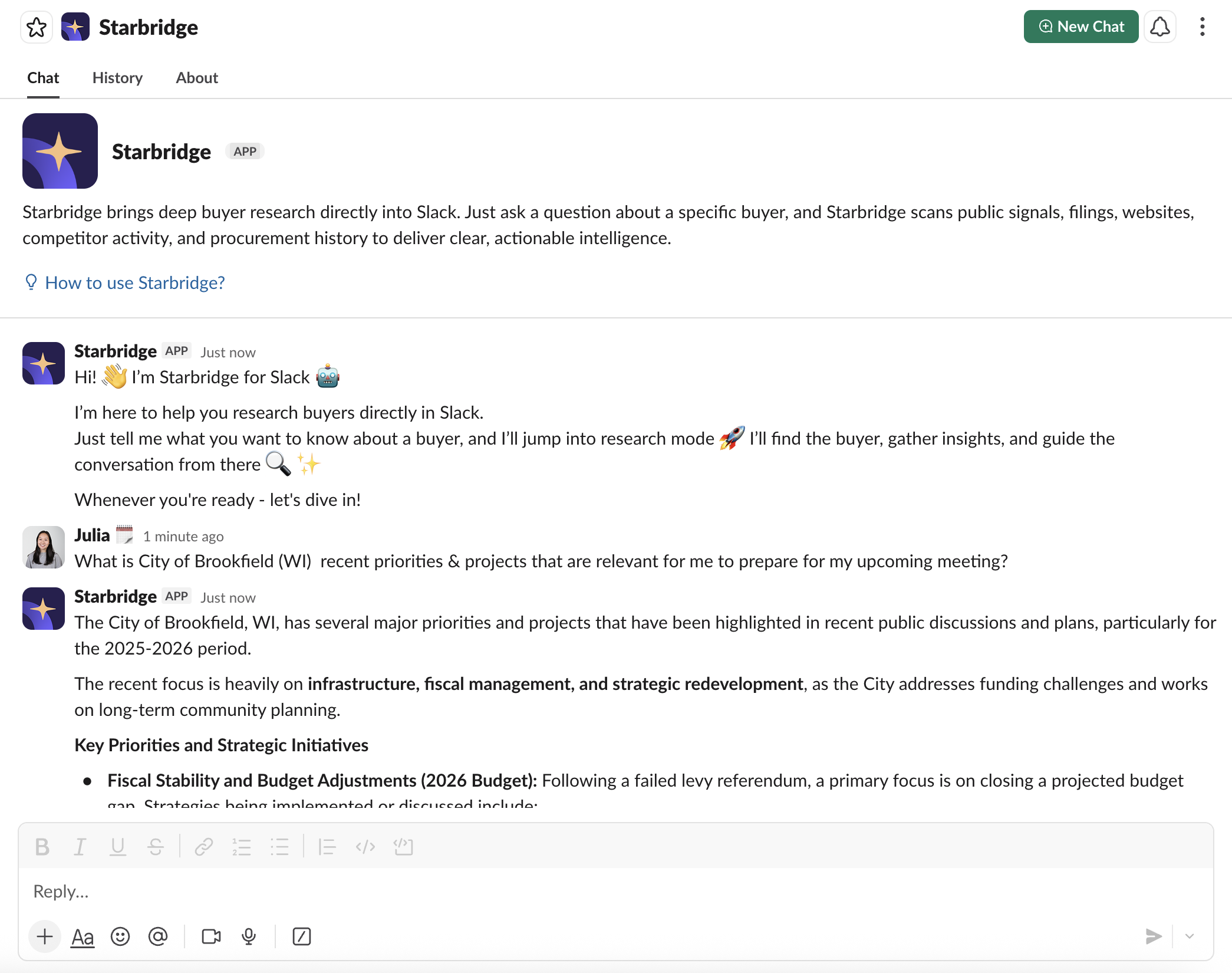
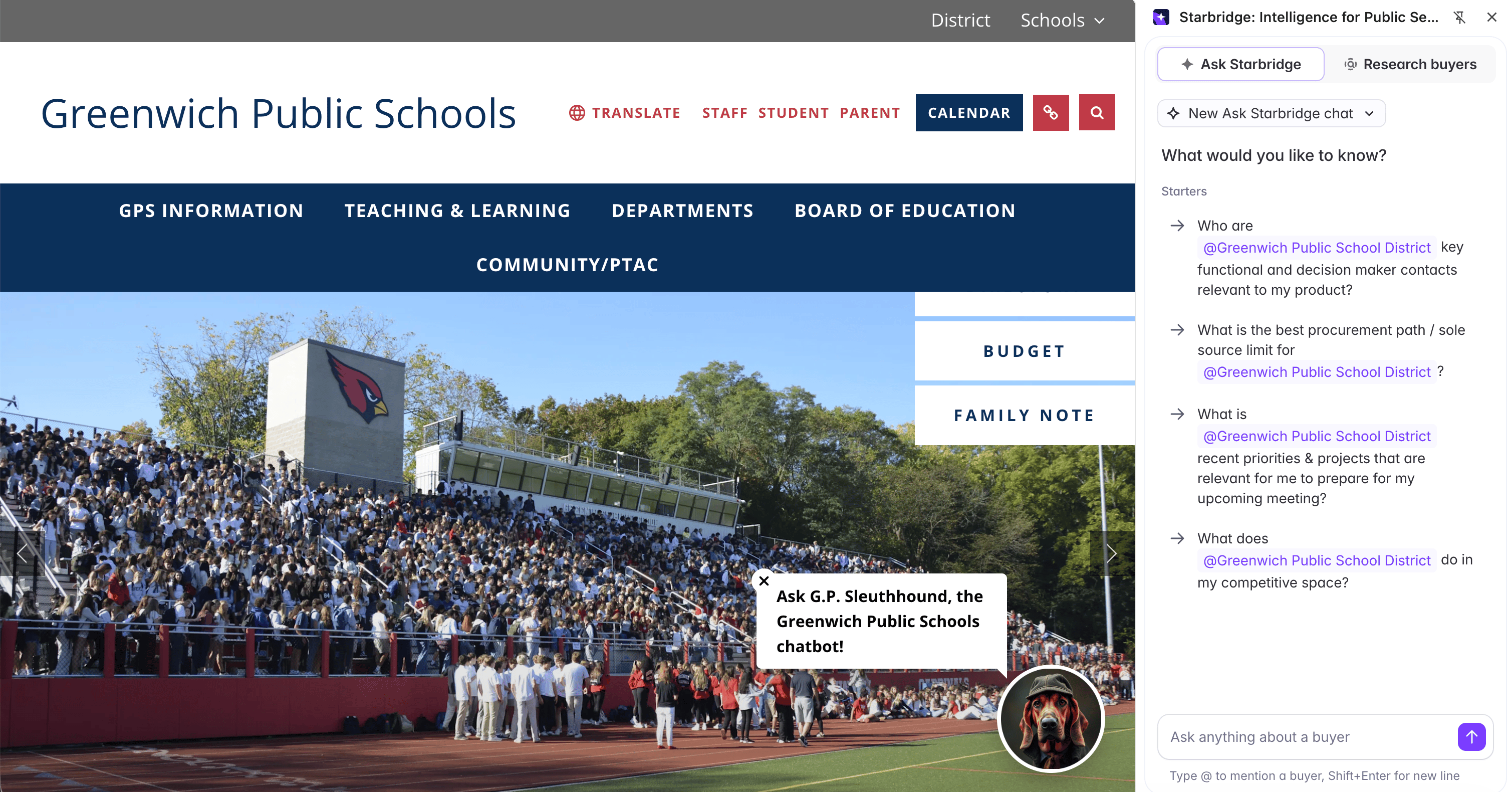
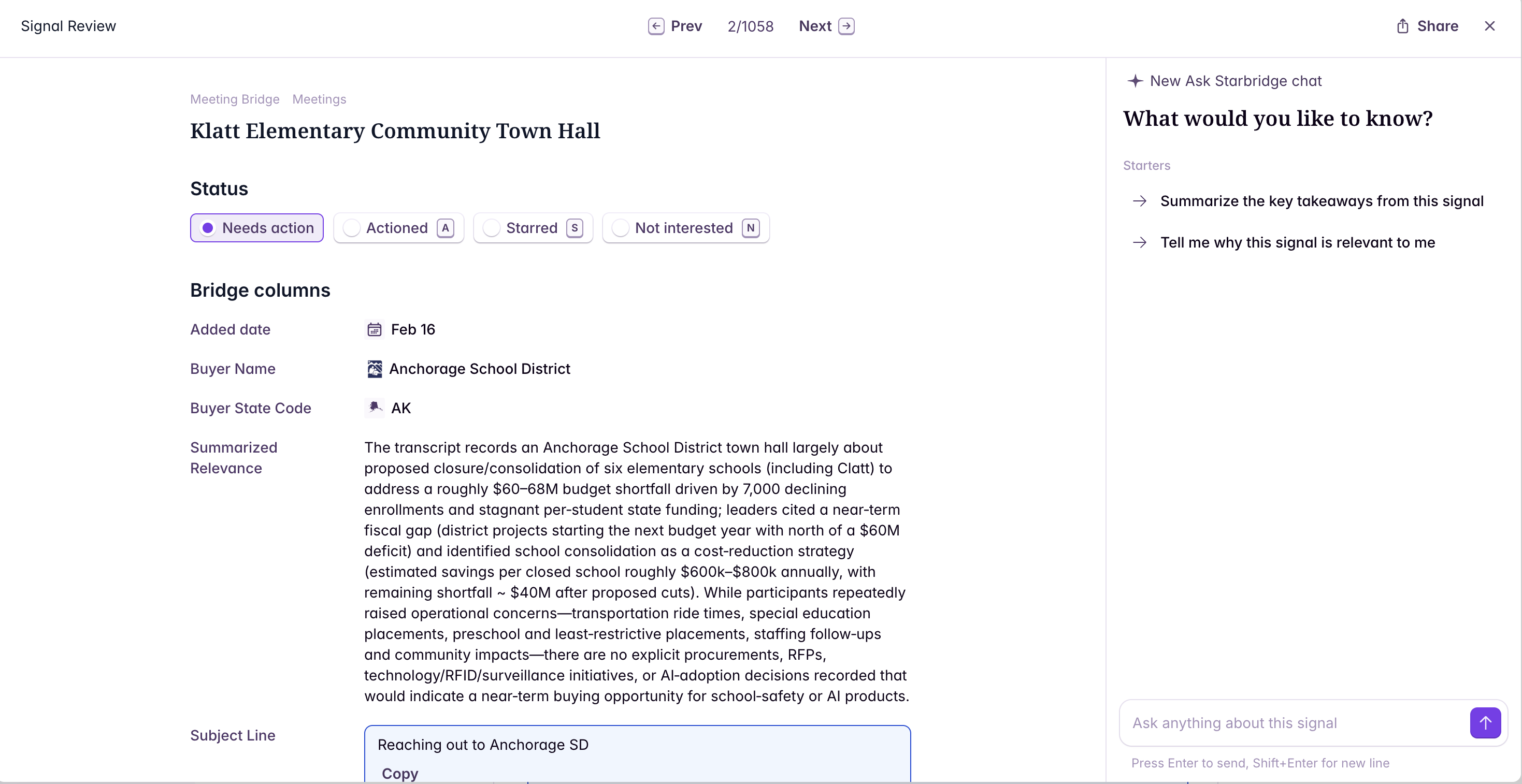
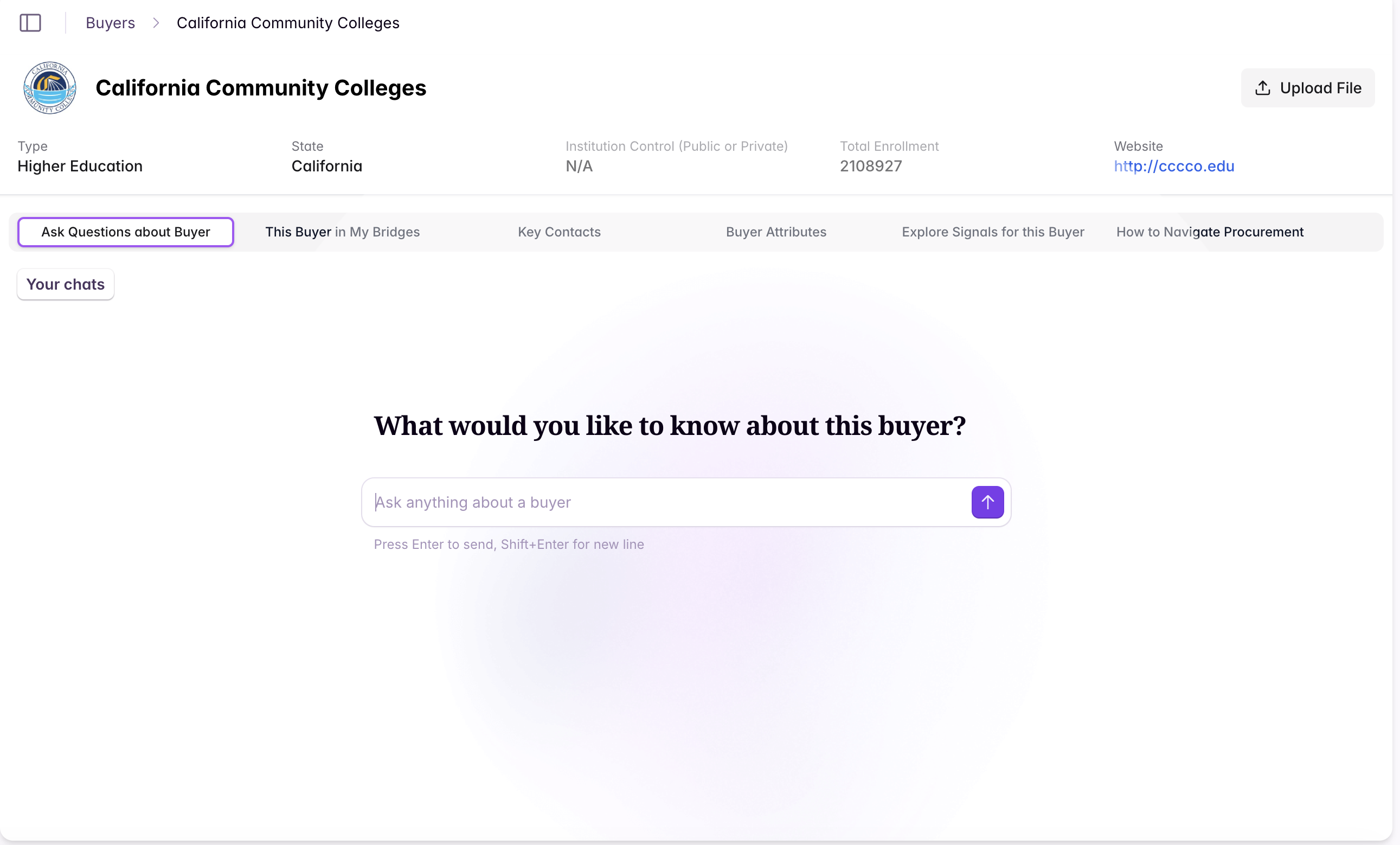
Where to access Ask Starbridge in the Starbridge app
- Ask Starbridge Tab
- My Feed
- Buyer Page
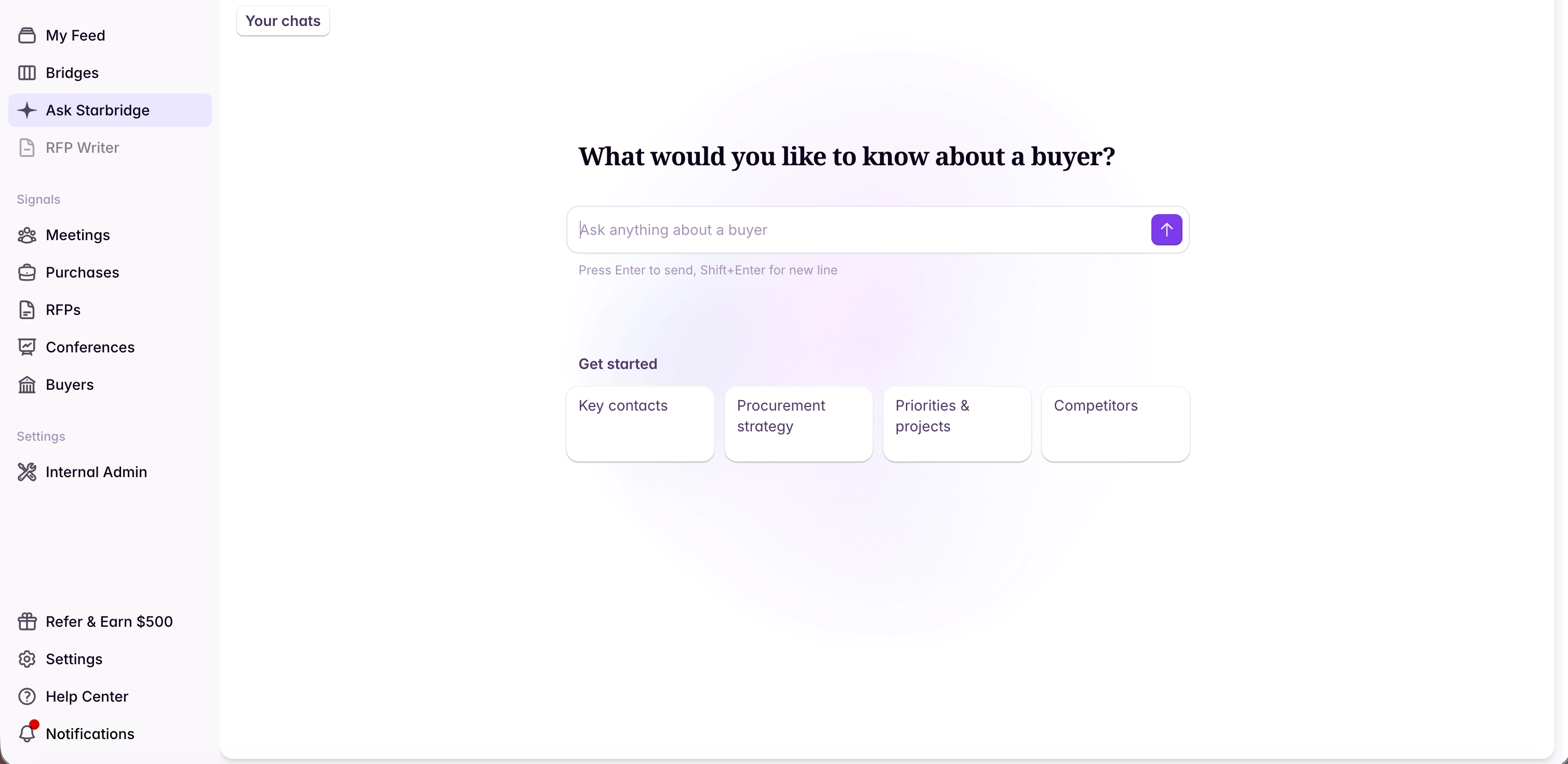
What Ask Starbridge can do
Ask Starbridge works with the same data and actions as the Starbridge app: meetings, RFPs, purchases, conferences, job changes, contacts, your bridges, and your organization context. It follows the same roles and permissions as the app, so it can do anything your role and plan allow, and any change it makes shows up in the app right away.Research buyers
Understand an account’s priorities, projects, vendors, and contracts, and find the right people to contact, without manual research. Example questions:- “What are the most relevant priorities and projects for [buyer name]?”
- “Who are the key contacts we should reach out to?”
- “Are they using a competitor of mine today? If so, what are the contract terms?”
Work your feed and signals
Chat with signals directly from your Feed to understand why they matter and decide what to do next. Ask Starbridge can also mark signals as actioned or starred for you. Example questions:- “Summarize this signal and why it matters to my business.”
- “What’s the best outreach angle based on this signal?”
- “What should I look into before reaching out?”
Analyze your territory
Ask questions across your accounts, like which buyers have active RFPs, where competitors are present, or which accounts score highest, using your bridges, buyer lists, and account scores.Build bridges and buyer lists
Describe the signal or set of accounts you’re after, and Ask Starbridge creates the buyer list or bridge, adds columns, and runs it. Builders can also update existing bridges and buyer lists the same way.Reach out with sequences
Find and enrich contacts at a buyer, enroll them in a sequence, or build and start a new sequence from a bridge.Manage your team and settings
Admins can invite users, change roles, manage teams, and update account scoring, CRM, and organization settings.Ask Help Center questions
Ask Starbridge can answer product “how-to” questions and will include Help Center links as sources so you can learn more. Example questions:- “How do I enrich a conference lead list?”
- “How do I build a Bridge for [use case]?”
Reference your previous chats
Your previous chats are all saved in the main “Ask Starbridge” tab so you can go back and reference them.View sources
Responses include source links and explanations so you can do further research if needed.Install Ask Starbridge in Slack (admins only)
For installation instructions, see Install Ask Starbridge in Slack.
How to chat with Starbridge in Slack
1
Chat in a channel
@mention Starbridge in a channel where the app has been added.
2
Chat in a DM
Start a private chat by searching for Starbridge, or by adding it under Apps (Apps → Manage → Browse Apps → Search for Starbridge).
Related articles
Chrome Extension
Pull the Buyer Page and Ask Starbridge into your browser, on any site.
My Homefeed
Where new signals on your accounts show up day to day.